Assets4Godot
Fonts made from Web Fonts is licensed by CC BY 4.0


Godot-Shader-Library
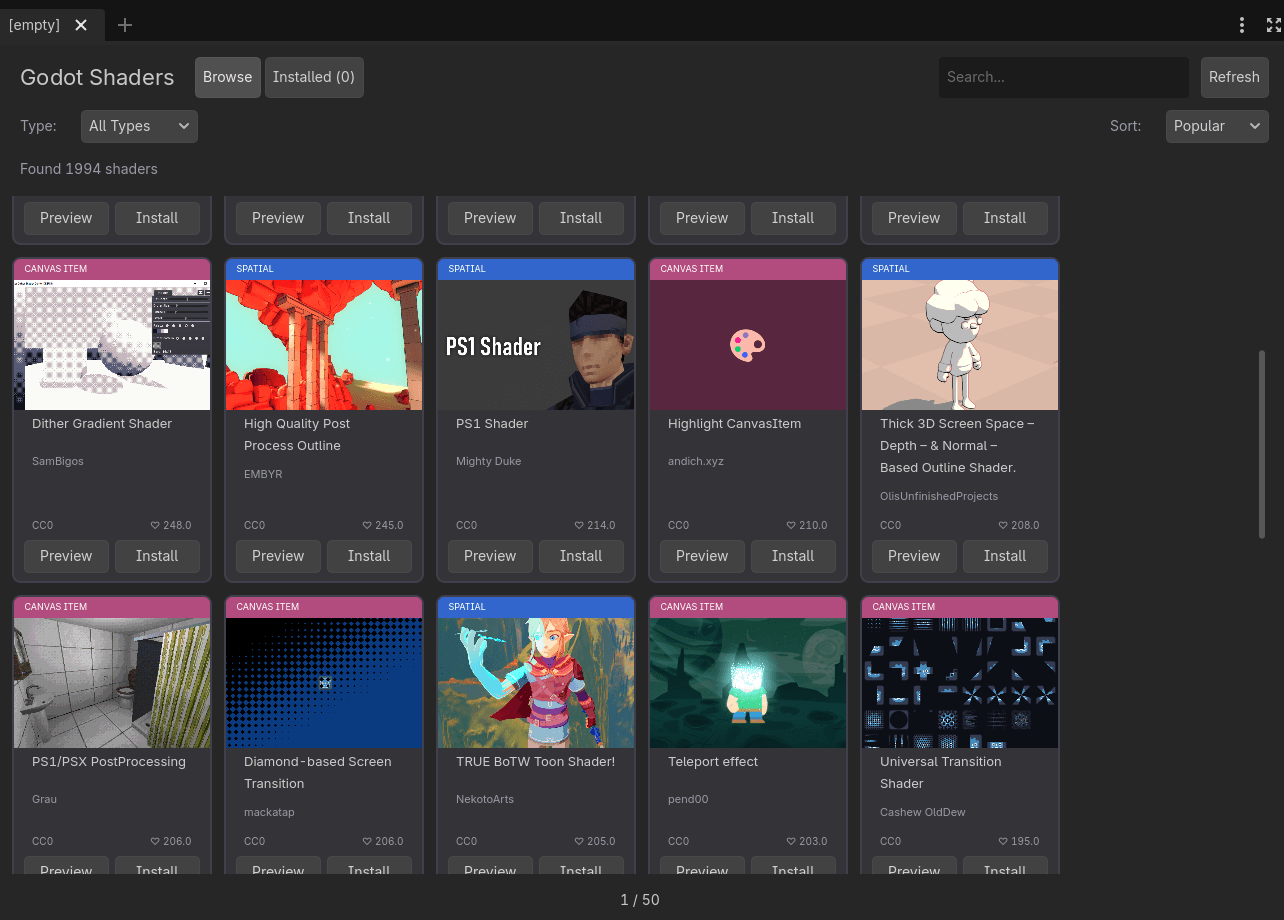
Browse and install shaders from godotshaders.com directly in the Godot Editor!
✨ Features
- 🔍 Browse 2000+ Shaders - Access the entire godotshaders.com library
- 🔎 Search & Filter - Find shaders by name, author, or category (Spatial, Canvas Item, etc.)
- 📥 One-Click Install - Download shaders directly to your project
- 👁️ Preview - View shader details, description, tags, and code before installing
- 💾 Smart Caching - 24-hour cache with daily auto-updates
- 🌍 Multi-Language - Supports English, Polish, German, Spanish, French, Chinese, Japanese, Russian, Portuguese
- 🎯 Godot Native UI - Seamless integration with Godot Editor
📦 Installation
From GitHub
- Download this repository (Code → Download ZIP)
- Copy the addons/shader_library folder to your Godot project
- Open your project in Godot 4.x
- Go to Project → Project Settings → Plugins
- Enable Shader Library
- Click on Shadery tab in the top menu bar
From Godot Asset Library
- Open Godot 4.x
- Go to AssetLib tab
- Search for "Shader Library"
- Click Download and Install
- Enable in Project Settings → Plugins
🚀 Usage
- Browse Shaders
- Open the ShaderLib tab (top menu bar)
- Browse through shader cards with previews
- Use pagination to navigate (40 shaders per page)
- Search
- Type in the search box and press Enter to find specific shaders.
Filter by Type
Use the dropdown to filter by:
- All Types
- Spatial (3D)
- Canvas Item (2D)
- Particles
- Sky
- Fog
Preview Shader
Click Preview to see:
- Full-size image
- Author & license info
- Description & tags
- Complete shader code
- Direct link to godotshaders.com
Install Shader
Click Install to download the shader to res://shaders/shaderlib/ folder.
📋 Requirements
- Godot 4.0 or higher
- Internet connection (for fetching shaders)
📄 License
MIT License
🙏 Credits
- Shaders from godotshaders.com
- All shader authors retain their original licenses
Made with ❤️ for the Godot community
Share this item: